Current Families
If you’re looking for content for current parents/caregivers—you’ve come to the right place! On this page you’ll find resources as well as the latest happenings and recaps from campus.
Resource Hub for Parents/Caregivers
Quick Links & Resources
Classes begin at 8:00 a.m. Tuesday through Friday and at 9:00 a.m. on Mondays.
Schedules
Please call or email the attendance line at 617-738-2321 or attendance@bcdschool.org to report an absence, lateness, or early dismissal. Students are responsible for making up missed work. If a student is going to be absent for an extended period of time, Ann Bevan Hollos in the Middle School and Alison MacDonald in the Upper School should be informed.
Please only park in designated parking spots. The left lane of the BVR parking lot should always be through traffic (no stopping). US students who are approved to drive to campus should use the left lane to drive straight through to the student parking area. No one should drive up into the Front Circle to drop off or pick up students. The front circle is reserved for handicapped parking only.
Please know, seniors have priority to receive a parking decal. After seniors have received their parking decals, we will determine how many available spaces remain for juniors. Depending on that number, we’ll either distribute decals to every eligible junior who wants a decal or we’ll implement a lottery to determine who can receive a decal. Please contact Mr. Manning for more information about parking and parking decals. Parking decals are required for anyone to park on campus.
Beaver offers daily transportation to and from campus, with routes traveling through Boston, Brookline, Medfield, Dover, Natick, Wellesley, Wayland, Weston, Newton, South of Boston, Medford, Arlington, Lexington, and Cambridge. See the current routes here.
Enroll in our transportation program through your family’s Clarity Tuition billing account. Email transportation@bcdschool.org to contact Tara Paulauskas with questions about the program.
The shuttle bus leaves the Chestnut Hill T-Stop (on the D-Line) each morning at 7:30 and 7:45 a.m. (8:30 and 8:40 a.m. on Mondays). In the afternoon, the bus leaves campus at 3:45 and 5:45 p.m. The service is free. Riders should look for a yellow bus with “Bedford Charter” on the side.
Beaver offers reduced-price monthly T-passes for students.
Beaver Parent Association
The Beaver Parent Association (BVR PA) works closely with BVR administration to foster a warm, welcoming, and inclusive community for all Beaver families. Every Beaver parent and caregiver is a member of the BVR PA.
The BVR PA partners with school administrators to host informative and interesting education events throughout the year. In addition, the BVR PA hosts social events to provide opportunities for parents and caregivers to get to know each other in festive, informal settings.
Click here to learn more about the PA.
Weekly Recaps
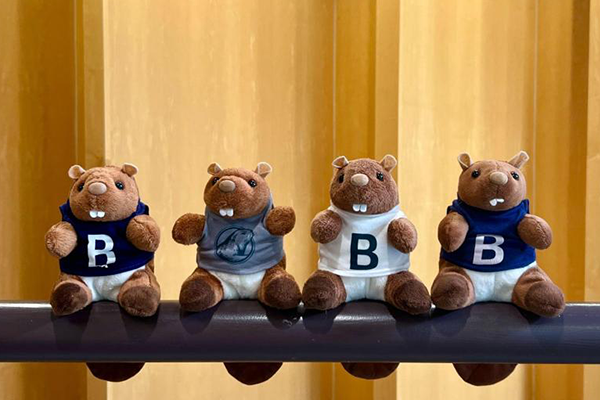
Middle School Meeting Minutes
Middle School Meeting is a student-led full division meeting where students share highlights from the past week, announcements regarding upcoming events and opportunities, and logistical notes relevant to the student body.
See what happened this week in our MS Meeting Minutes.

Upper School Highlights
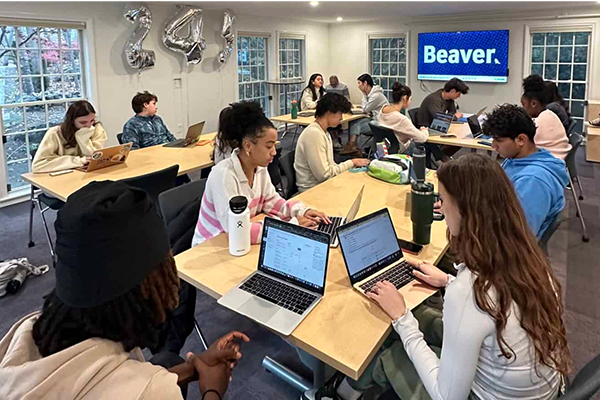
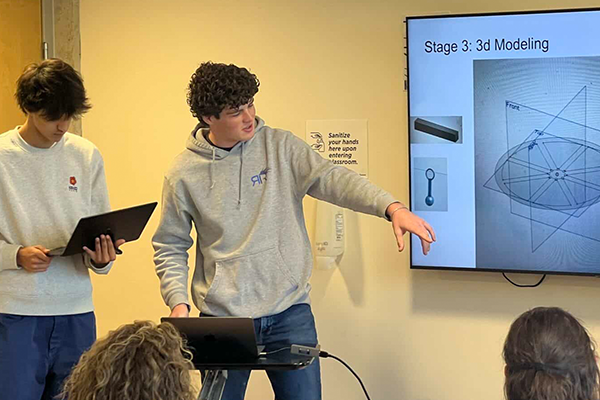
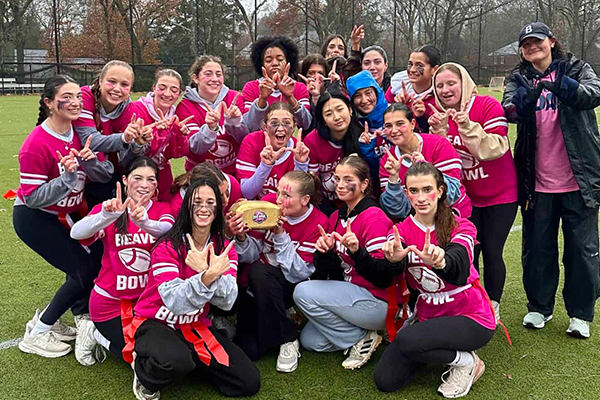
Each and every week in the Upper School is jam-packed with activities—from Upper School meetings to advisory to speakers to a plethora of other events. You can stay in-the-know about the latest happenings by checking out our US Weekly Wrap-ups on the blog.
Click here for the latest Upper School news.
A few more things you may be looking for …
If you’re having trouble logging in or using Canvas, contact the Registrar’s Office.
Canvas is a learning management system that helps us improve our classroom communication and provides more transparency about our practices.
More simply? It’s a virtual hub for a student’s homework, to-dos, and schedule, and a place for families to see feedback, comments, and grades.
As a parent/caregiver, you can see the following on Canvas:
- Course materials and resources
- Assignment calendar and to-do list
- Ongoing feedback (this will look different for different classes and grades, and may include rubrics, checkmarks, messages to review teacher comments, etc.)
- Grades (similar to feedback, the types of grades vary by class, and can include letter grades, number grade, checkmarks, etc.)
Please keep in mind, Canvas is one part of our feedback loop (Middle School and Upper School); it is not the only place families receive feedback.
PowerSchool is Beaver’s online student information system for students and parents.
It contains:
- End-of-term grades
- Class schedule
- Attendance
- Zip code list
- Family directory
- Course registration (students only)
Log in to PowerSchool at bcdschool.powerschool.com/public.
Please use it to verify/update your contact information all year round.
Instructions for logging into PowerSchool as a parent are sent from the Registrar’s office by email.
If you have any questions please contact the Registrar’s Office at registrar@bcdschool.org.
Beaver is proud to partner with Clarity as our Enrollment Contract and Tuition Billing platform.
Click here for more information on signing a re-enrollment contract and how to set up your account.
Beaver works with Magnus Health to collect and store health forms in its secure database. Most of the required forms are available on the Magnus Health website and must be completed before your child can participate in pre-season athletics and school activities.
- Click here to log in and complete the health forms.
If this is your first year at Beaver, you will get an email directly from Magnus with your username and password to sign in to their website. Please look for this email in the coming weeks. If you are a returning family and can’t remember your login information, go to mymagnus.com and click on the “Forgot your Username or Password?” link, or call Magnus at 877 461 6831.
For more information about Magnus, visit their parent page or call 877 461 6831.
For questions about health records and forms, contact our school nurse.
Beaver’s health guidelines are aligned with the latest guidelines from the CDC, the Massachusetts Department of Health, DESE, and discussions with our consulting physician.
If at any time throughout the school year you have questions about whether you should return to campus after an illness, please contact the school nurse at tossowski@bcdschool.org or 617-738-2739.
GUIDELINES FOR RETURNING TO CAMPUS AFTER SHORT-TERM ILLNESS (ONE WEEK OR LESS)
Respiratory Virus (flu, COVID, common cold, etc)
- Fever-free for 24 hours without the use of fever-reducing medication
- Symptoms significantly reduce, or resolve
- It is recommended to wear a mask until symptoms completely resolve
- If you have new symptoms of a respiratory virus, such as a fever, sore throat, cough, or a runny or stuffy nose, you should stay home and stay
- away from others in your household.
Stomach virus
- No active vomiting or diarrhea episodes for 24 hours, unless episodes are known to be caused by a non-communicable condition
Fever
- When fever-free for 24 hours without the use of fever-reducing medication.
Rash
- A physician has determined the illness is not a communicable disease.
- Rash completely resolved
Communicable Illness needing antibiotics (strep, mono, pink eye, etc.)
- After being on prescribed antibiotics for 24 hours
RECOMMENDATIONS FOR SYMPTOMS OF A RESPIRATORY VIRUS (ISOLATION)
If you have new symptoms of a respiratory virus, such as a fever, sore throat, cough, or a runny or stuffy nose, you should stay home and stay away from others in your household.
While you are at home
- Get tested for COVID-19 and flu. Talk to your healthcare provider about getting treatment if you test positive
- Stay away from others in your household. Wear a mask when you have to be around them
- Wash your hands often with soap and warm water. If soap and water are not available, use hand sanitizer containing at least 60% alcohol
- Cover your mouth when you cough or sneeze. Use a tissue or your inner elbow, not your hands
- Clean high-touch surfaces (countertops, handrails, and doorknobs) often
- You should stay home even if you don’t know what virus is making you sick
When you start to feel better
You may begin to resume normal activities with precautions if:
- You have not had a fever for at least 24 hours without the use of fever-reducing medicines;
- AND your other symptoms are improving
You may still be able to spread the virus that made you sick, even if you are feeling better.
For at least the first 5 days after you resume normal activities, take these extra precautions:
- Avoid crowded indoor spaces. Wear a mask anytime you are indoors around other people
- Wash your hands often with soap and warm water. If soap and water are not available, use hand sanitizer containing at least 60% alcohol.
- Avoid spending time with people who are at increased risk for severe disease
If your symptoms get worse again:
If your fever comes back or any other symptoms start to get worse, you should go back home until you are better again. Wait to resume normal activities until you have not had a fever for at least 24 hours without the use of fever-reducing medicines AND your symptoms are improving again. When you resume normal activities, take the recommended additional precautions during the next 5 days:
- Avoid crowded indoor spaces
- Wear a mask indoors around other people
- Wash your hands often
- Cover your coughs and sneezes
If you have tested positive for a respiratory virus but do not have any symptoms you can still spread the virus. Take additional precautions to protect others from getting sick. For at least the first 5 days, take these extra precautions:
- Avoid crowded indoor spaces. Wear a mask anytime you are indoors around other people.
- Wash your hands often with soap and warm water. If soap and water are not available, use hand sanitizer containing at least 60% alcohol.
- Avoid spending time with people who are at increased risk for severe disease.
Although not required, choosing to stay home for about 72 hours may help reduce the chances that you spread the virus to others. While you stay home you should:
- Stay away from others in your household. Wear a mask when you have to be around them.
- Wash your hands often with soap and warm water. If soap and water are not available, use hand sanitizer containing at least 60% alcohol.
- Cover your mouth when you cough or sneeze. Use a tissue or your inner elbow, not your hands.
- Clean high-touch surfaces (such as countertops, handrails, and doorknobs) often.
The community directory can be found in PowerSchool.
Step by step instructions:
- Log in to your PowerSchool account
- Click on Community Directory on the left side menu.
- Choose your search type based on your needs. You can search by last name, grade level, or use control/command + F from to search from the whole community list displayed by default.
Other resources available on that screen are the List of families by Zip Code so you can plan carpooling, for example, and the link to all Faculty & Staff Contact Information.
Questions? Email the Registrar’s Office.
To access pictures of your children at sports games, school events, and various other activities, visit our SmugMug page.
The pictures are categorized by events such as arts, sports, and PA dinner. You can save the photos to your computer or purchase prints directly through SmugMug.
Your child’s safety and privacy are our top priority. To help protect images of the BVR community, all photo galleries we post on SmugMug will be password-protected. We will share the password in our monthly parent newsletter. If you forget the password, don’t worry! Just email communications@bcdschool.org.